
Standing Desk Ergonomics: Evidence-Based Guide to Sit-Stand Setup
A simple, clinically reviewed guide for office and home workers
Introduction – Why Standing Desk Ergonomics Matters
Standing desks can help reduce back pain and improve energy for many desk workers. However, simply standing more is not automatically better than sitting. Prolonged standing can introduce new problems such as leg fatigue, foot discomfort, and lower-back strain.
Research shows that sit–stand desks can reduce musculoskeletal discomfort when used with proper setup and regular alternation between sitting and standing (Black et al., 2015; Waongenngarm et al., 2018).
The real benefit comes from avoiding long periods in any single position.
This guide builds on principles from:
- Desk Height Ergonomics
- Posture Variability Over Perfection
- Keyboard & Mouse Ergonomics
- Movement Breaks for Desk Workers
Who This Guide Is For
- People using or considering a sit–stand desk
- Desk workers experiencing lower-back or leg discomfort from prolonged sitting
- Readers who have already optimised their seated setup
- Anyone wanting practical guidance on healthy alternation
Quick Adjustments for Immediate Comfort
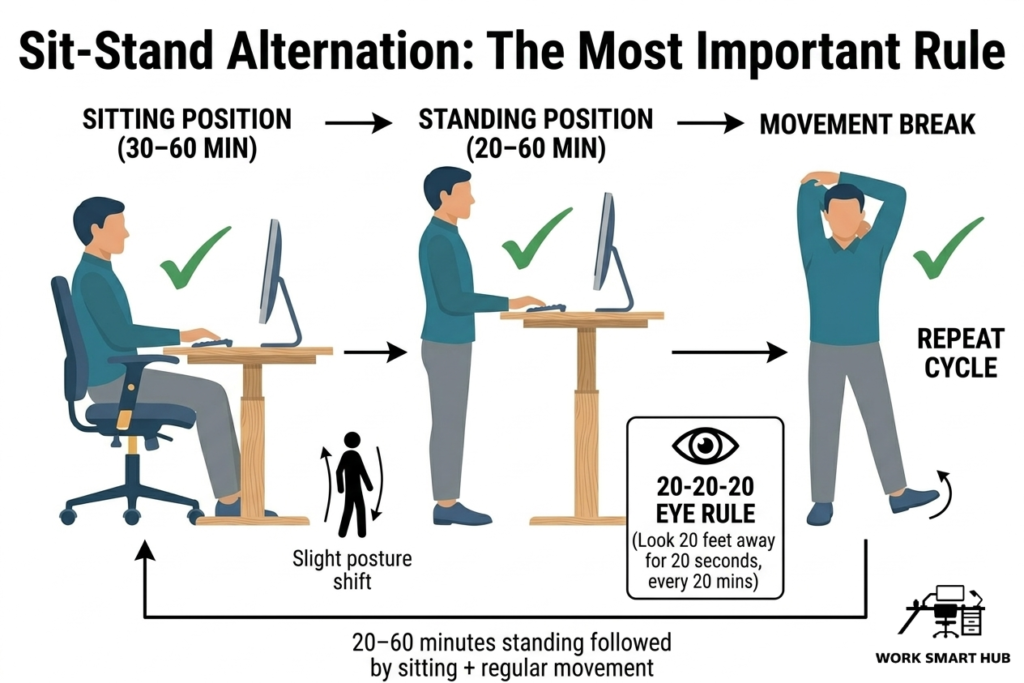
- Alternate sitting and standing every 30–60 minutes
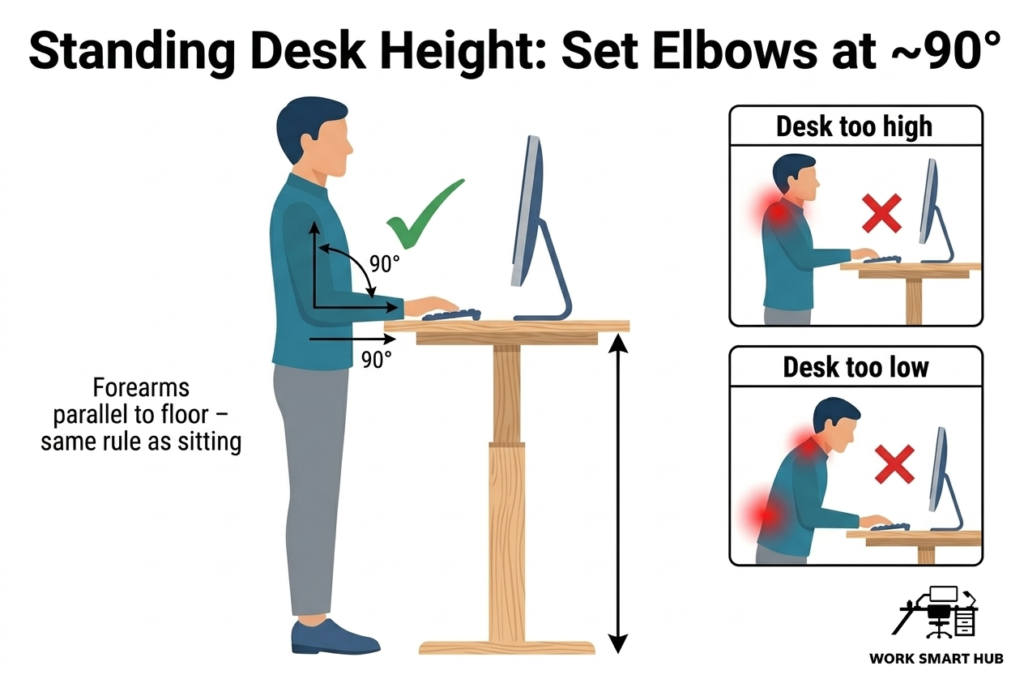
- Set desk height so elbows are ~90° with forearms parallel to the floor
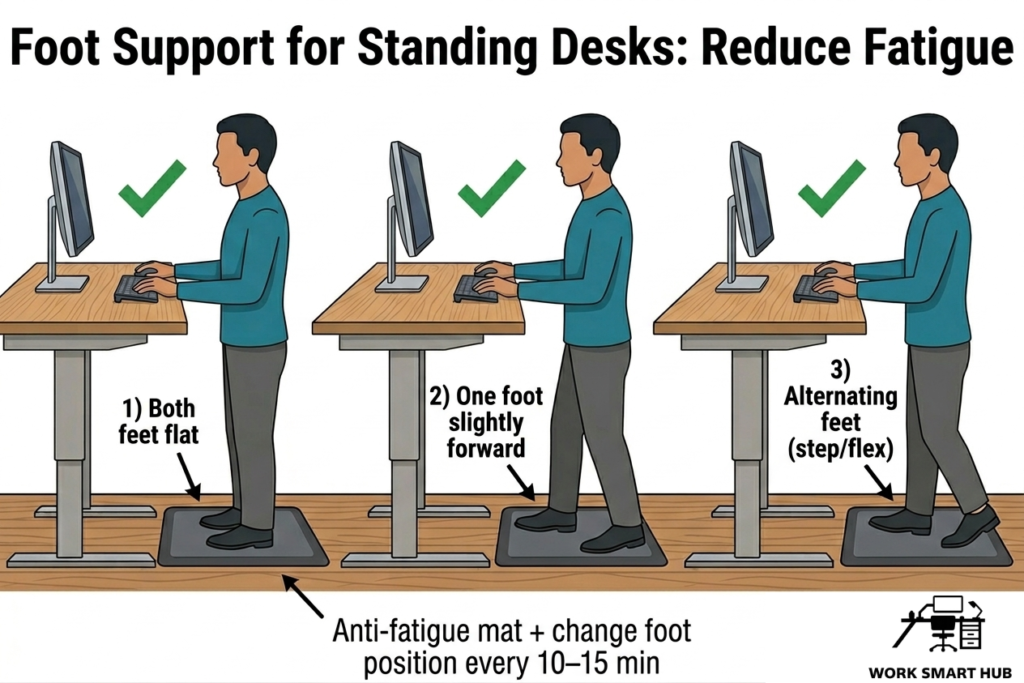
- Use an anti-fatigue mat or softer surface under your feet
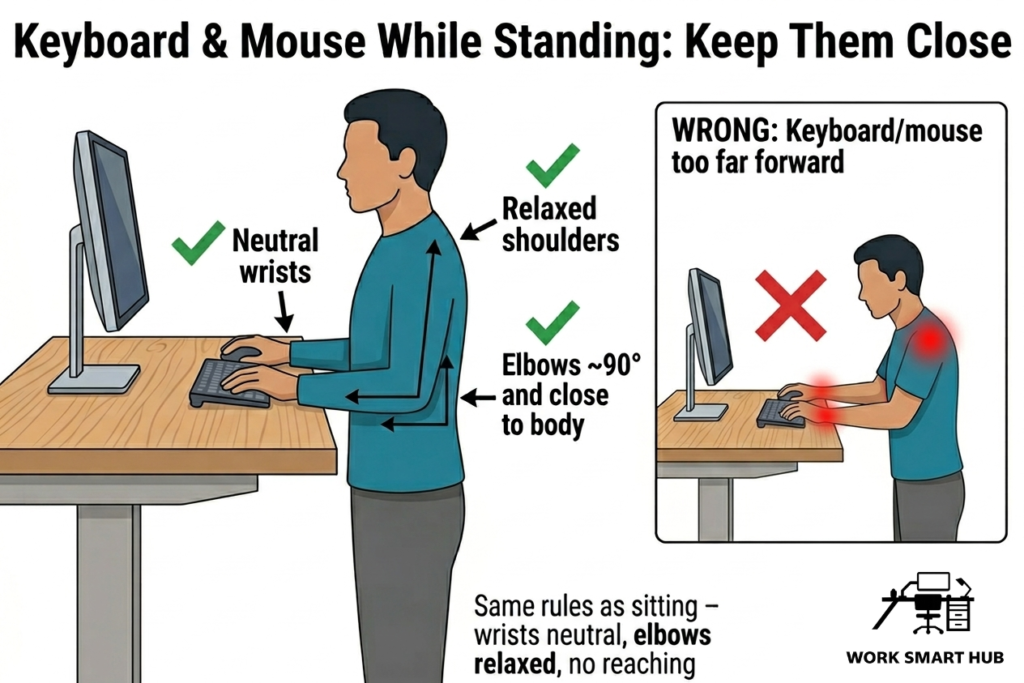
- Keep keyboard and mouse at elbow height
- Shift weight or change foot position regularly
These small changes often reduce strain more effectively than trying to hold one “perfect” posture.
Standing Desk Ergonomics: How to Set Up Your Desk
1. Set Desk Height at Elbow Level
Raise the desk so elbows are approximately 90°, forearms parallel to the floor, and shoulders relaxed. This follows the same principle as seated setups (OHSA, 2020; see also Desk Height Ergonomics).
2. Use a Comfortable Standing Position
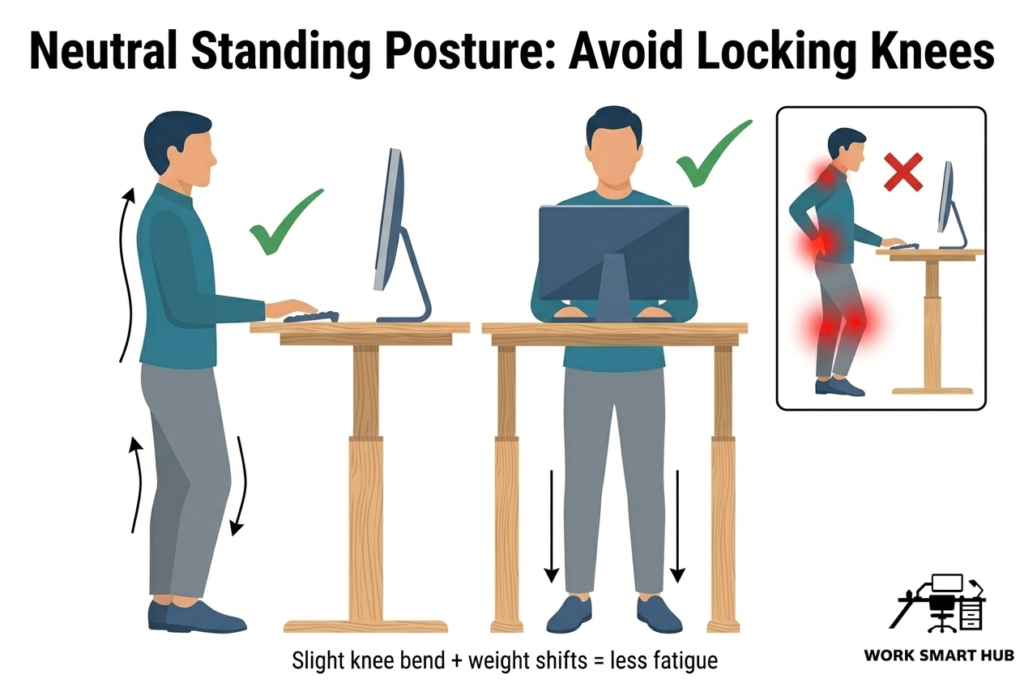
Keep a slight bend in the knees, distribute weight evenly between both feet, and maintain your spine’s natural curve. Avoid locking knees or standing completely still. Prolonged static standing is associated with increased muscle fatigue, which reinforces the importance of regular movement (Waters & Dick, 2015; see also Posture Variability Over Perfection).
3. Position Keyboard and Mouse Consistently
Keep keyboard and mouse at elbow height and close to the body so shoulders stay relaxed. These rules apply whether sitting or standing (see Keyboard & Mouse Ergonomics).
4. Reduce Load on Feet and Lower Back
Use an anti-fatigue mat and alternate foot position every 10–15 minutes. This helps reduce pressure on the lower back and legs (King, 2002).
5. Alternate Sitting and Standing Regularly
Stand for 20–60 minutes, then sit for a similar period. Alternating every 30–60 minutes works well for many people. Combine with Movement Breaks for Desk Workers for best results (Shrestha et al., 2018).
Common Mistakes to Avoid
- Standing for hours without sitting
- Setting the desk too high (shrugged shoulders) or too low (forward lean)
- Locking knees or remaining completely still
- Ignoring foot support on hard floors
- Treating standing as a complete replacement for sitting and movement
Frequently Asked Questions
How long should I stand?
20–60 minutes followed by a similar period of sitting is a good starting point. Adjust based on comfort.
What is the correct standing desk height?
Elbows at ~90° with forearms parallel to the floor and shoulders relaxed.
Should I use a anti-fatigue mat?
Yes – mats reduce foot and leg discomfort compared to hard flooring (King, 2002).
Is standing better than sitting?
Neither is inherently better. Benefits come from regular alternation and movement (Shrestha et al., 2018).
Can I use my current chair?
Yes – you can still continue to use your current chair with a standing desk set-up. Follow standard chair adjustment rules.
Key Takeaways
- Standing desks work best when sitting and standing are alternated regularly.
- Set desk height at elbow level with relaxed shoulders.
- Use foot support and change position frequently.
- Static standing or sitting both create fatigue – movement is key.
- Small, consistent adjustments deliver the greatest long-term comfort.
References
Black, N. L., Fortin, A. P., & Handrigan, G. A. (2015). Postural and perception variations when using manually adjustable and programmable sit–stand workstations. International Journal of Occupational Safety and Ergonomics. https://doi.org/10.1080/21577323.2014.1003116
King, P. M. (2002). A comparison of the effects of floor mats on fatigue. Applied Ergonomics, 33(5), 477–484. https://doi.org/10.1016/S0003-6870(02)00043-0
Occupational Safety and Health Administration (OSHA). (2020). Computer Workstations eTool. https://www.osha.gov/etools/computer-workstations
Shrestha, N., Kukkonen-Harjula, K. T., Verbeek, J. H., Ijaz, S., Hermans, V., & Pedisic, Z. (2018). Workplace interventions for reducing sitting at work. Cochrane Database of Systematic Reviews. https://doi.org/10.1002/14651858.CD010912.pub5
Waongenngarm, P., Areerak, K., & Janwantanakul, P. (2018). The effects of breaks on low back pain, discomfort, and productivity in office workers. Applied Ergonomics, 68, 230–239. https://doi.org/10.1016/j.apergo.2017.12.003
Waters, T. R., & Dick, R. B. (2015). Evidence of Health Risks Associated with Prolonged Standing at Work and Intervention Effectiveness. American Journal of Industrial Medicine. https://doi.org/10.1002/ajim.22396