
Movement Breaks for Desk Workers: Evidence-Based Strategies to Prevent Pain and Stiffness
A simple, clinically reviewed guide for office and home workers
Introduction – Why Movement Breaks for Desk Workers Matters
Even the perfect ergonomic setup can’t protect your body if you stay completely still for hours.
Prolonged sitting quietly builds spinal load, reduces blood flow, and leads to muscle fatigue – especially in the lower back. Research consistently links extended sitting with higher risk of low back pain and musculoskeletal discomfort (Lis et al., 2007; Waongenngarm et al., 2018).
Movement is the missing piece: short resets reduce tension, improve circulation, and help maintain neutral posture throughout the day. Short movement breaks during computer work have been shown to lower musculoskeletal discomfort while preserving productivity (Radwan et al., 2022).
This guide explains simple, evidence-based ways to add movement into your workday – building on the neutral posture you’ve already established with proper chair adjustment, desk height, monitor positioning, and keyboard/mouse setup.
Quick Fixes – Relief in Under 2 Minutes
These small resets interrupt static posture and can be done without leaving your desk:
- Stand up and stretch your arms overhead
- Roll your shoulders backward 5–10 times
- Gently rotate your neck side to side
- Extend your legs and flex your ankles
- Shift your weight or change sitting position
- Look away from the screen to relax your eyes
Even very short breaks can reduce muscle fatigue and discomfort during prolonged computer work (Radwan et al., 2022).
Most people notice relief after only a few movement cycles.
4-Step Movement Strategy for Desk Workers
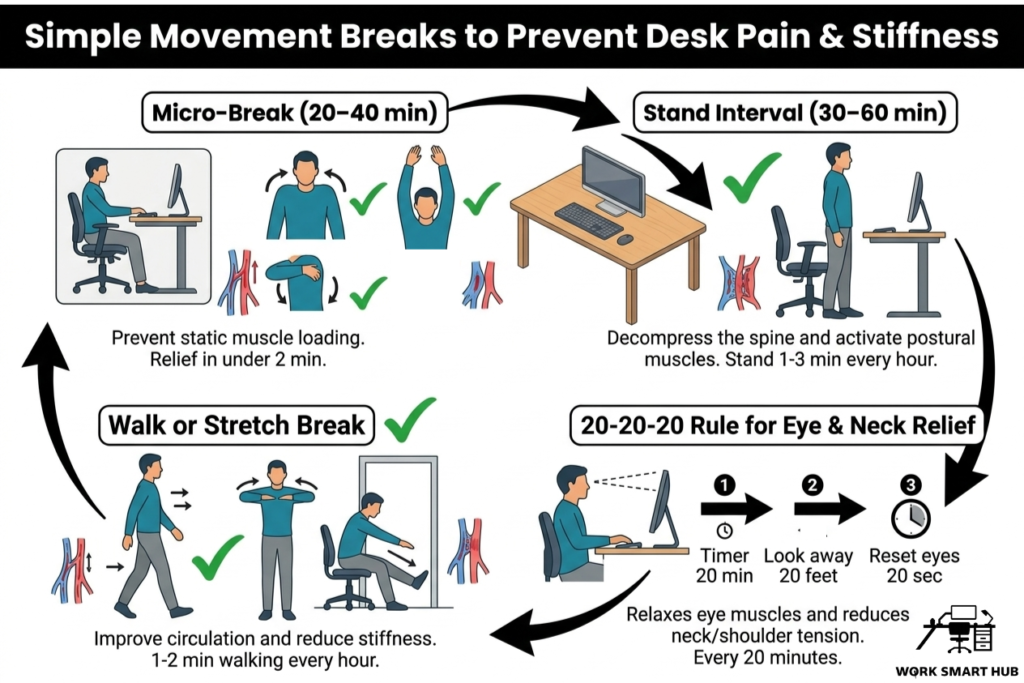
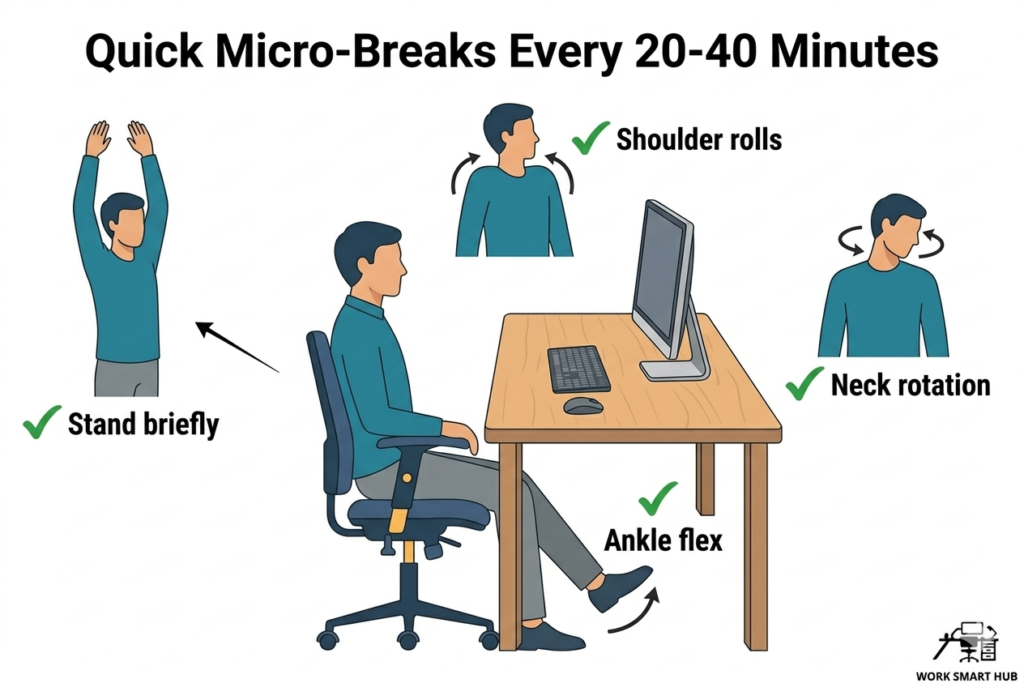
1. Use Micro-Breaks Every 20–40 Minutes
Micro-breaks are short pauses (20–60 seconds) that interrupt static muscle loading without disrupting productivity.
They are widely recommended in ergonomics research to help prevent discomfort during prolonged computer work (Radwan et al., 2022).
Examples of micro-breaks include:
- standing briefly
- shaking out your hands
- stretching your chest or upper back
- rolling your shoulders
- adjusting your sitting posture
These small resets prevent the gradual build-up of static muscle load that often leads to discomfort later in the day.
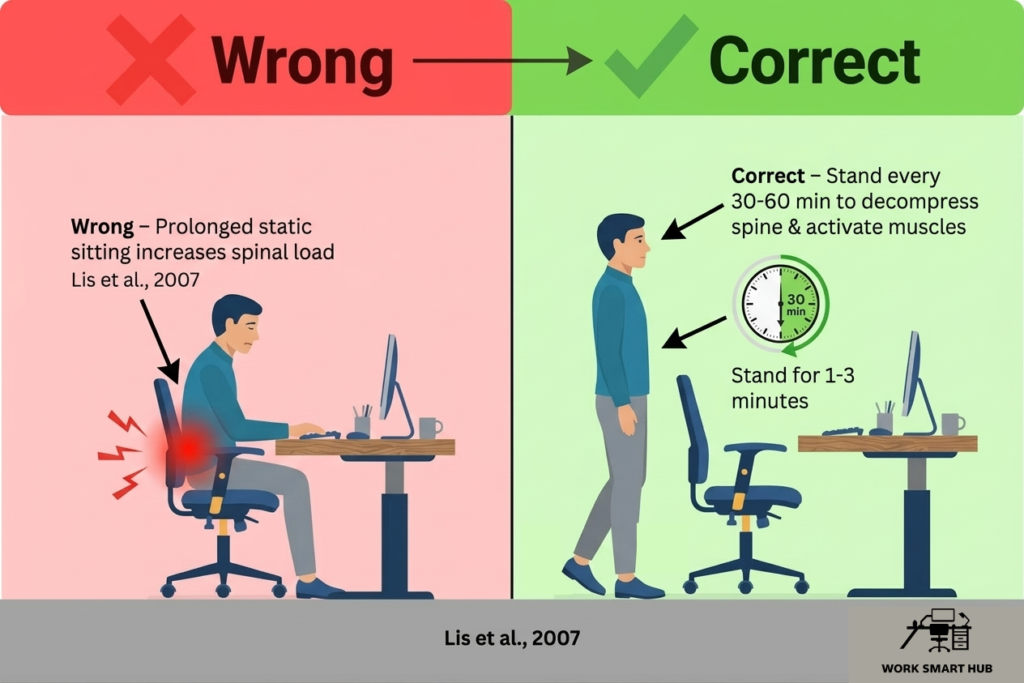
2. Stand Every 30–60 Minutes
Standing intervals help decompress the spine and activate postural muscles.
Prolonged sitting is associated with increased spinal loading and reduced trunk muscle activity, which may contribute to discomfort over time (Lis et al., 2007).
You do not need a standing desk to gain these benefits.
Simple guidelines:
- stand for 1–3 minutes every hour
- shift weight or move around briefly
- alternate positions regularly if using a sit–stand desk
Research suggests that alternating sitting and standing can reduce discomfort without reducing productivity (Black et al., 2015).
Standing should be viewed as a posture reset, not a replacement for sitting.
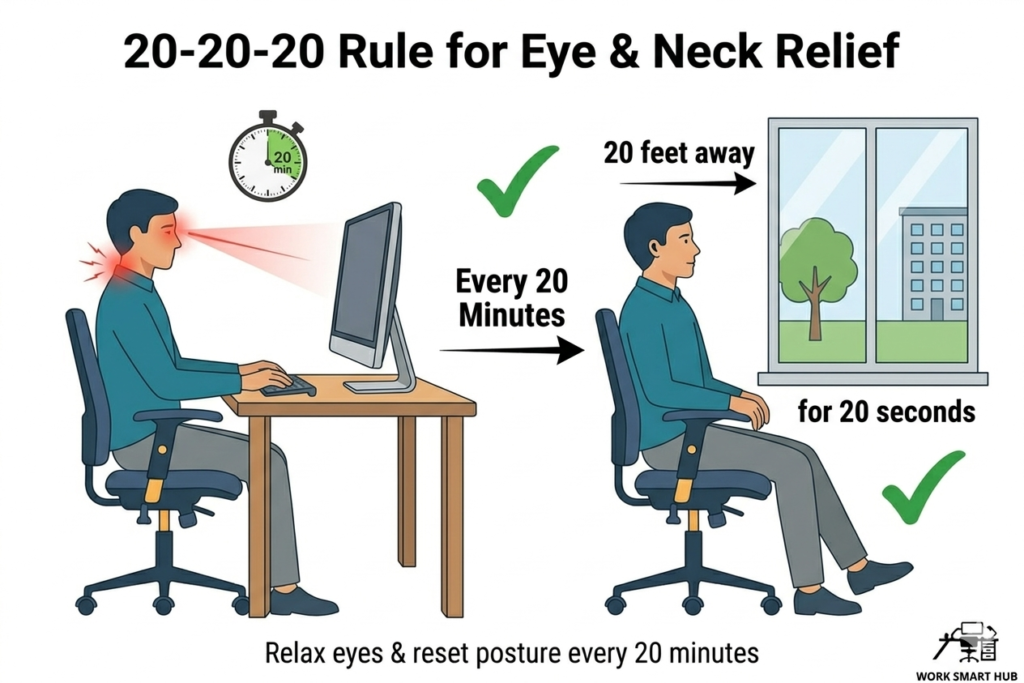
3. Follow the 20-20-20 Rule for Eye and Neck Relief
Prolonged screen use can contribute to digital eye strain and encourage forward-leaning posture.
The 20-20-20 rule helps reduce visual fatigue.
How to implement to 20-20-20 rule:
Every 20 minutes, look at something 20 feet away for 20 seconds.
This relaxes the eye muscles and encourages you to sit back into your chair, reducing neck and shoulder tension (American Optometric Association, n.d.).
For more strategies on reducing eye strain, see our guide on lighting and eye comfort for home offices.
4. Take Short Walk or Stretch Breaks
Walking improves circulation and reduces stiffness in the hips and lower back, while stretching releases tension in commonly overloaded muscles.
Evidence shows that regular movement breaks during the workday can reduce musculoskeletal discomfort in office workers (Waongenngarm et al., 2018).
Aim for:
- 1–2 minutes of walking every hour
- 3–5 longer movement breaks throughout the day
- stretching multiple areas such as the neck, shoulders, hips, and lower back
Avoid focusing on only one area – whole-body movement is more effective for restoring circulation and reducing stiffness.
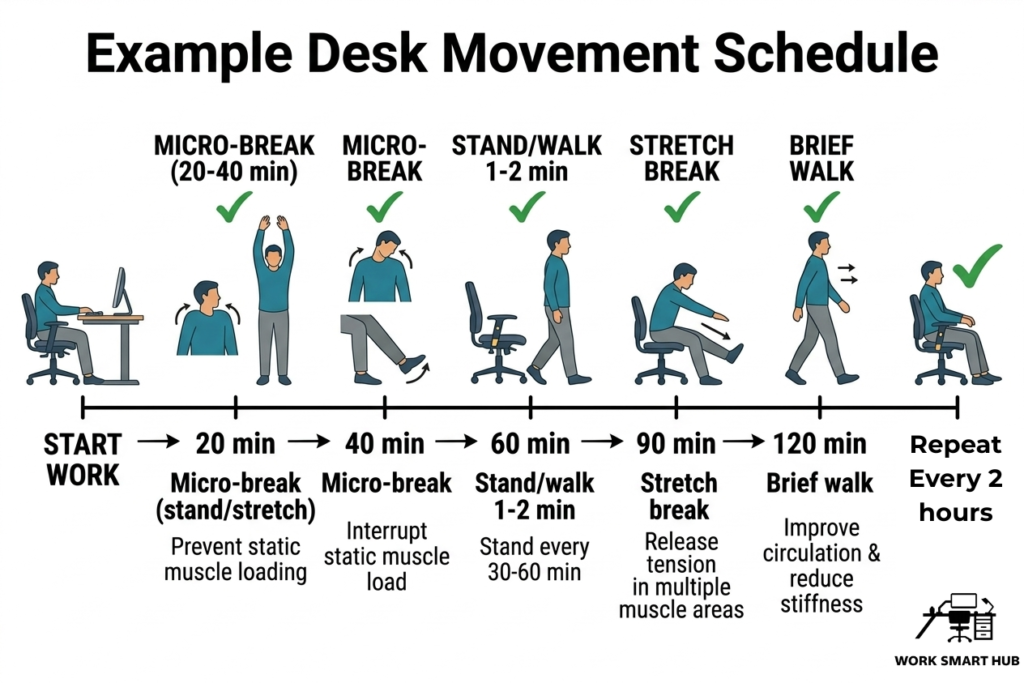
Example Desk Movement Schedule
A simple schedule can make movement easier to maintain throughout the day.
Example:
- Start work 20 minutes – micro-break (20–30 seconds)
- 40 minutes – micro-break
- 60 minutes – stand or walk for 1–2 minutes
- 90 minutes – short stretch break
- 120 minutes – brief walk
This pattern keeps muscles active without disrupting focus.
Common Mistakes to Avoid
- Sitting for 2–4+ hours without breaks
- Only stretching the legs while ignoring shoulders or wrists
- Using breaks only for phone scrolling
- Standing for long periods without alternating
- Relying on posture alone instead of movement
Even small, frequent movements are more beneficial than long periods of inactivity followed by occasional stretching.
Common Myth: “Good Posture Means Sitting Still”
Myth: Hold “perfect posture” all day to avoid pain.
Reality: Your body hates static positions more than imperfect ones.
Even an ideal sitting position becomes uncomfortable when maintained for long periods. Regular posture changes and small movements reduce muscle fatigue and joint stiffness more effectively than rigid perfection.
Frequently Asked Questions
Do micro-breaks really help?
Yes. Research shows that short breaks during computer work can reduce muscle fatigue and musculoskeletal discomfort without reducing productivity (Radwan et al., 2022).
Is walking better than stretching?
Both provide benefits. Walking improves circulation and joint movement, while stretching helps release tension in specific muscle groups.
Do I need a standing desk?
No. Simply standing beside your chair or taking short walking breaks can provide similar benefits.
Can movement help reduce headaches?
Yes. Neck and shoulder tension from prolonged sitting is a common contributor to posture-related headaches. Regular movement can help relieve this tension.
How many breaks do I really need?
Aim for a micro-break every 20–40 minutes and stand/walk every 30–60 minutes. Research shows this pattern reduces discomfort without hurting focus (Radwan et al., 2022).
Key Takeaways
- Prolonged sitting increases the risk of musculoskeletal discomfort (Lis et al., 2007).
- Short movement breaks help reduce muscle fatigue and stiffness.
- Micro-breaks, standing intervals, and short walks support long-term comfort.
- The 20-20-20 rule helps reduce eye strain and encourages better posture.
- Even small, frequent movements make a meaningful difference during the workday.
References
- American Optometric Association. (n.d.). Computer vision syndrome and the 20-20-20 rule. https://www.aoa.org/healthy-eyes/caring-for-your-eyes/20-20-20-rule
- Black, N. L., Fortin, A. P., & Handrigan, G. A. (2015). Postural and perception variations when using manually adjustable and programmable sit–stand workstations. International Journal of Occupational Safety and Ergonomics. https://doi.org/10.1080/21577323.2014.1003116
- Lis, A. M., Black, K. M., Korn, H., & Nordin, M. (2007). Association between sitting and occupational low back pain. European Spine Journal, 16(2), 283–298. https://doi.org/10.1007/s00586-006-0143-7
- Radwan, A., Barnes, L., DeResh, R., & Englund, C. (2022). Effects of active microbreaks on the physical and mental well-being of office workers: A systematic review. Cogent Engineering. https://doi.org/10.1080/23311916.2022.2026206
- Waongenngarm, P., Areerak, K., & Janwantanakul, P. (2018). The effects of breaks on low back pain, discomfort, and work productivity in office workers: A systematic review. Applied Ergonomics, 68, 230–239. https://doi.org/10.1016/j.apergo.2017.12.003