
How to Set Up a Healthy and Ergonomic Home Office
A simple, clinically reviewed guide for office and home workers
Introduction – Why Ergonomics in a Home Office Matters
In modern times, working from home has shifted from a temporary solution to a long-term reality for millions of people.
In Australia, over 36% of employed people now work from home regularly, according to the Australian Bureau of Statistics. Many of these workers spend 20–30 hours per week at their home office – sometimes more for full-time remote workers. Globally, similar trends are seen in Europe, North America, and the UK, where flexible and hybrid work has become the norm.
The challenge is that most home workspaces weren’t designed for long hours of desk work. Sitting 6–8 hours a day in a poorly set-up environment can lead to neck pain, back stiffness, wrist discomfort, headaches, and fatigue. Even minor ergonomic issues compound over time.
A healthy, ergonomic home office doesn’t require expensive furniture or perfect posture. It’s about smart, evidence-informed adjustments that support your body, prevent strain, and improve focus for long periods of work.
Quick Wins for a Healthier Home Office
If you want immediate improvements, these three adjustments make a noticeable difference:
- Adjust your chair height so your feet are flat on the floor and knees are roughly level with your hips
- Position your monitor at eye level and arm’s length distance to reduce neck and eye strain
- Take short breaks every hour to stand, stretch, and move
Even small adjustments like these have been shown to reduce discomfort and improve focus (Robertson et al., 2009;Jodi et al., 2022).
Benefits of a Proper Home Office Setup
Setting up your office correctly can:
- Reduce neck, shoulder, and back pain
- Decrease eye fatigue and headaches
- Improve focus, productivity, and work satisfaction
- Prevent long-term musculoskeletal issues
A systematic review in Applied Ergonomics (Robertson et al., 2009) confirmed that ergonomic adjustments in desk work significantly reduce musculoskeletal complaints.
Who This Guide Is For
This guide is relevant for anyone who spends long hours at a desk, whether at home or in a traditional office.
It is especially useful for:
- Remote, hybrid, and office workers spending 20+ hours per week at a desk
- People experiencing recurring neck, shoulder, back, or wrist discomfort
- Anyone wanting to improve comfort, focus, and productivity
No specialist knowledge is needed — only the willingness to make small, practical changes.
Understanding Ergonomics
Ergonomics is the science of adapting the workspace to human capabilities, rather than forcing the body to adapt to the workspace.
For example, Robertson et al. (2009) found that poor workstation design increases neck, shoulder, and lower back discomfort among office workers. Conversely, a chair with adjustable height and proper support or a monitor at the correct level can significantly reduce strain.
The Ergonomic Home Office Roadmap
A healthy home office is made up of seven key elements:
- Chair setup
- Desk height
- Monitor positioning
- Keyboard and mouse placement
- Lighting and eye comfort
- Movement and breaks
- Everyday posture habits
Each section below links to a more detailed guide where you can optimise that area.
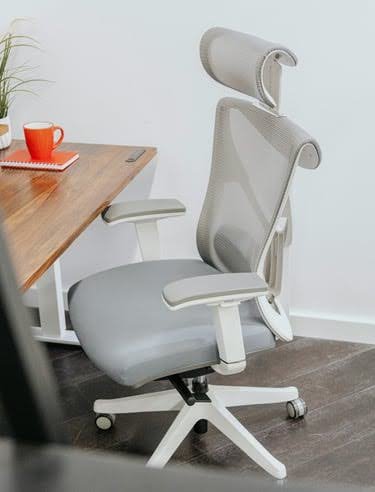
1. Office Chair Setup: The Foundation
Your chair supports your spine, shoulders, neck, and arms.
- Evidence: Andersson et al. (1974) demonstrated that lumbar-supported chairs reduce spinal disc pressure compared to unsupported sitting.
Quick setup tips:
- Sit fully back in the chair
- Feet flat on the floor
- Knees level with or slightly below hips
- Relax shoulders
Common mistakes:
- Chair too low or high, causing awkward hip or knee angles
- Leaning forward without back support for extended periods
For step-by-step instructions, see how to set up an ergonomic office chair properly
2. Desk Height and Shoulder Load
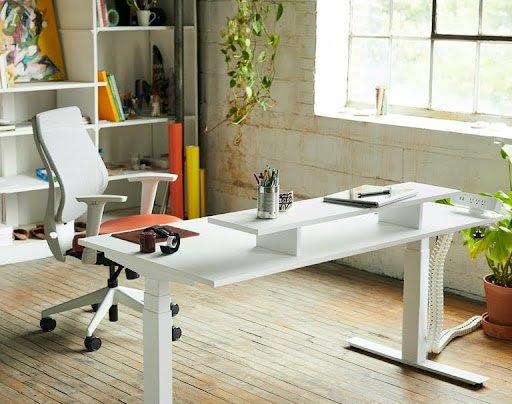
Desk height affects shoulder, wrist, and neck strain.
- Evidence: Rempel et al. (2006) found that higher desks increase shoulder muscle activation, contributing to fatigue and discomfort.
Guidelines:
- Elbows ~90 degrees
- Forearms supported
- Shoulders relaxed
- Adjust chair height and use a footrest if needed
Common mistakes:
- Desk too high, causing shoulder tension
- Desk too low, forcing slouching or leaning forward
Learn more in why desk height matters
3. Monitor Positioning: Protecting Neck and Eyes
Incorrect monitor placement is a major cause of neck pain.
- Evidence: Hansraj (2014) found that forward head posture increases cervical spine load, even with slight angles of flexion.
Healthy positioning:
- Screen directly in front
- Top of monitor at or slightly below eye level
- About an arm’s length away
- Minimal head rotation
Common mistakes:
- Monitor too low, forcing neck flexion
- Monitor off-center, causing twisting
Laptop users: use an external keyboard and mouse.
See best monitor positioning for desk work.
4. Keyboard and Mouse Ergonomics
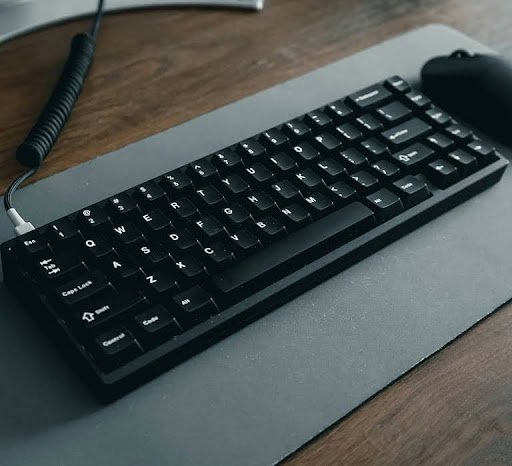
Hand and wrist strain is common.
- Evidence: Gerr et al. (2002) found that prolonged mouse use and poor wrist posture increase upper limb discomfort.
Practical setup:
- Keep keyboard/mouse close
- Maintain neutral wrists
- Elbows relaxed by your sides
- Minimal reaching
Common mistakes:
- Keyboard too high or far, causing wrist extension or reaching
- Mouse placed too far, causing shoulder strain
See keyboard and mouse ergonomics for details.
5. Lighting and Eye Comfort
Visual strain can affect neck posture and focus.
- Evidence: Gowrisankaran,S et al. (2015) found that screen glare and poor lighting contribute to eye fatigue, headaches, and altered neck posture.
Tips:
- Reduce screen glare
- Position monitors perpendicular to windows
- Use indirect lighting
- Increase text size instead of leaning forward
Common mistakes:
- Desk near bright window glare
- Overhead fluorescent lighting causing reflections
Read more in home office lighting and eye comfort.
6. Movement and Breaks: Essential for Pain Prevention
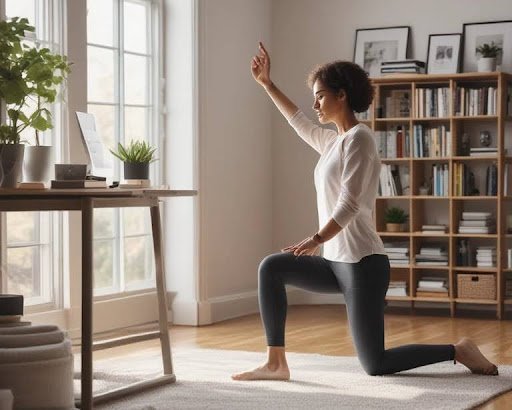
Even perfect setups won’t help if you stay still.
- Evidence: Lis et al. (2007) linked prolonged sitting to higher lower back pain risk, especially without breaks.
Simple strategies:
- Stand every 30–60 minutes
- Short walks or gentle stretches
- Alternate sitting and standing
Common mistakes:
- Sitting for 2–4+ hours without breaks
- Only stretching one area of the body (e.g., legs but not shoulders/back)
7. Posture: Variability Over Perfection
Good posture is dynamic, not rigid.
- Evidence: O’Sullivan et al. (2012) found that posture variability is healthier than maintaining a single “perfect” position.
Tips:
- Relaxed, supported spine
- Regular posture adjustments
- Movement throughout the day
Common mistakes:
- Trying to maintain one “perfect” posture all day
- Slouching for long periods without micro-adjustments
Read simple posture guidance for desk workers
Key Takeaways
- Home office ergonomics matters more than ever
- Poor setup increases risk of pain, especially with 20–30+ hours per week at a desk
- Evidence supports practical, small adjustments
- Movement is as important as furniture
- Comfort, focus, and productivity improve together
References
- ABS. (2024, December 9). Working Arrangements.Www.abs.gov.au. https://www.abs.gov.au/statistics/labour/earnings-and-working-conditions/working-arrangements/latest-release
- Andersson, B. J., Ortengren, R., Nachemson, A., & Elfström, G. (1974). Lumbar disc pressure and myoelectric back muscle activity during sitting. I. Studies on an experimental chair. Scandinavian Journal of Rehabilitation Medicine, 6(3), 104–114. https://pubmed.ncbi.nlm.nih.gov/4417801/
- Gerr, F., Marcus, M., Ensor, C., Kleinbaum, D., Cohen, S., Edwards, A., Gentry, E., Ortiz, D. J., & Monteilh, C. (2002). A prospective study of computer users: I. Study design and incidence of musculoskeletal symptoms and disorders. American Journal of Industrial Medicine, 41(4), 221–235. https://doi.org/10.1002/ajim.10066
- Gowrisankaran, S., & Sheedy, J. E. (2015). Computer vision syndrome: A review. Work, 52(2), 303–314. https://doi.org/10.3233/wor-152162
- Hansraj, K. K. (2014). Assessment of stresses in the cervical spine caused by posture and position of the head. Surgical Technology International, 25, 277–279. https://pubmed.ncbi.nlm.nih.gov/25393825/
- Jodi, O., Subas, N., Saila, K., Clas-Håkan, N., & Katrina, L. (2022). Musculoskeletal pain trajectories of employees working from home during the COVID-19 pandemic. International Archives of Occupational and Environmental Health. https://doi.org/10.1007/s00420-022-01885-1
- Lee, D.-S. (2008). The effect of visualizing the flow of multimedia content among and inside devices. Applied Ergonomics, 40(3), 440–447. https://doi.org/10.1016/j.apergo.2008.10.003
- Lis, A. M., Black, K. M., Korn, H., & Nordin, M. (2006). Association between sitting and occupational LBP. European Spine Journal, 16(2), 283–298. https://doi.org/10.1007/s00586-006-0143-7
- O’Sullivan, K., O’Keeffe, M., O’Sullivan, L., O’Sullivan, P., & Dankaerts, W. (2012). The effect of dynamic sitting on the prevention and management of low back pain and low back discomfort: a systematic review. Ergonomics, 55(8), 898–908. https://doi.org/10.1080/00140139.2012.676674
- Robertson, M., Amick, B. C., DeRango, K., Rooney, T., Bazzani, L., Harrist, R., & Moore, A. (2009). The effects of an office ergonomics training and chair intervention on worker knowledge, behavior and musculoskeletal risk. Applied Ergonomics, 40(1), 124–135. https://doi.org/10.1016/j.apergo.2007.12.009